Last updated: July 17, 2026
Local PDF Editing vs Upload-Based PDF Tools: Privacy Tradeoffs
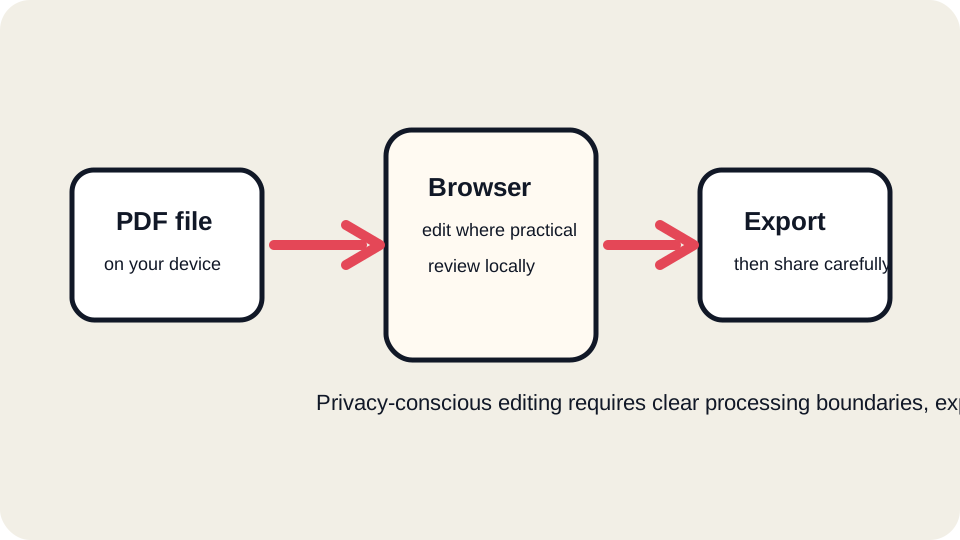
“Online PDF editor” can describe very different products. Some tools do much of the work in the browser. Some upload the file immediately and process everything on a server. Some desktop tools work offline after installation. Each model has legitimate uses and real privacy tradeoffs. The right choice depends on what is inside the PDF and what the recipient expects.
Three common workflows
| Workflow | Strength | Limit |
|---|---|---|
| Browser-heavy web tool | Convenient, fast, and can reduce unnecessary transfer for supported tasks | Still depends on website code, browser behavior, device security, and any server endpoints the tool uses. |
| Server-processed web tool | Can support complex analysis, export, OCR, compression, and conversion | Requires trust in upload handling, retention, logs, security, and third-party integrations. |
| Offline desktop workflow | Best fit for highly sensitive or regulated files when configured correctly | Requires installation, updates, licensing, and local device security. |
What “privacy-conscious” should mean
A privacy-conscious tool should explain its boundaries plainly. It should not imply that a file never touches a server if the upload, analysis, export, or download delivery process uses server endpoints. It should disclose what happens, avoid using PDF contents for unrelated advertising or analytics, and warn users to choose offline workflows for sensitive legal, medical, financial, tax, or regulated documents.
For JUST FREE PDF, the current product should be understood as privacy-conscious and server-assisted where needed. Some workflows may use server processing for upload, document analysis, operation history, export generation, and download delivery. That disclosure is part of the product’s trust model.
When a web editor is reasonable
- Low-risk files such as public forms, class handouts, simple invoices, drafts, or documents without sensitive identifiers.
- Small edits where you can compare the exported copy against the original.
- Flat form completion where the recipient accepts a visual filled PDF.
- Visual signatures when a certified signature is not required.
- Page ordering and review tasks where the file does not contain confidential content.
When to choose offline or enterprise tools
Use an offline or enterprise-controlled workflow for documents involving medical records, tax returns, legal discovery, employee investigations, regulated financial information, government IDs, children’s records, trade secrets, unreleased business plans, or documents governed by a client contract. Also choose a specialist workflow when a recipient requires certified digital signatures, true redaction, audit logs, or archival compliance.
Device and browser risks
The architecture of the editor is only part of the privacy story. A shared computer, browser extensions, cloud-synced downloads folder, screen recording software, malware, or unsafe Wi-Fi environment can expose a PDF regardless of which editor is used. A privacy-conscious workflow includes using a trusted device, clearing downloads when appropriate, and not leaving sensitive files in temporary folders.
Questions to ask any PDF tool
- Does the file upload before editing, during export, or only for specific features?
- How long are uploaded files retained?
- Are PDF contents used for analytics, ads, resale, or AI training?
- Are third-party services involved in processing?
- Can the tool handle scans, forms, signatures, and redaction correctly?
- Does the tool clearly separate advertising from upload and download controls?
- Can I review the final downloaded file in another viewer?
Feature tradeoffs
Server-side tools can sometimes do more because they have access to heavier libraries, OCR engines, conversion services, and background processing. Browser-heavy tools can be more transparent for simple tasks, but complex PDFs still create limits. Offline tools can be strongest for sensitive workflows, but only if the device is secure and the user understands the software. Privacy is not a single switch; it is a set of design decisions and user choices.
How to use JUST FREE PDF responsibly
Use JUST FREE PDF when the file is suitable for a privacy-conscious web workflow and when you can review the exported copy. Avoid uploading highly sensitive files unless you understand and accept the processing boundary. For ordinary forms, visual signatures, and small edits, follow the export checklist. For redaction, certified signing, and regulated documents, use the required specialist workflow.
Retention and deletion expectations
Retention matters as much as upload. A tool that processes files on a server should explain whether files are temporary, whether exports are stored, and whether operational logs can contain filenames or technical identifiers. Users should not assume immediate deletion unless the service states that behavior clearly. When the retention policy is unclear and the document is sensitive, choose a workflow you control.
For routine files, practical review may be enough. For regulated files, deletion promises alone may not satisfy internal policy, client contracts, or legal obligations. In those cases, use an approved system that provides access controls, audit logs, and retention rules that match the requirement.
FAQ
Is a browser-based editor always safer than an upload tool?
No. A browser-based editor still loads code and may use server endpoints. The safer choice depends on the document, the tool’s disclosures, and the environment where you use it.
Is offline software always safe?
No. Offline software can still expose files through malware, backups, sync folders, or user error. It is usually better for sensitive files, but device security still matters.
What is the simplest decision rule?
Use web tools for low-risk, reviewable edits. Use controlled offline or enterprise workflows for confidential, regulated, or legally significant documents.