Edit source text
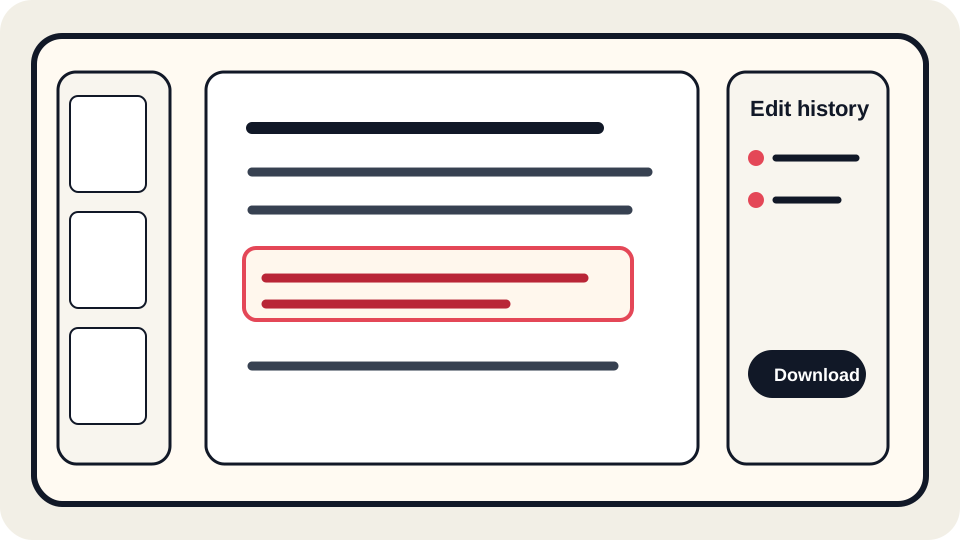
Change words in PDFs that contain real text objects and review line wrapping, spacing, and page alignment before downloading.
Edit PDF text onlineJUST FREE PDF
JUST FREE PDF helps you open a PDF in your browser, edit supported source text, fill simple form content, review pages, and download a clean copy. It is designed for careful document updates rather than risky shortcuts.
Use the editor for PDFs that contain real selectable text. Scanned pages, protected files, image-only text, unusual embedded fonts, and some XFA forms may need OCR, annotations, or the original source document.
Before you upload: JUST FREE PDF may process your PDF on our server to analyze document structure, store edit operations, and build exports. We do not intentionally use PDF contents for ads, analytics, resale, or AI training. For highly sensitive documents, use an approved offline or enterprise workflow.
The safest PDF workflow starts with honesty. Some PDFs contain editable text objects; others are scans, images, outlines, or protected files. JUST FREE PDF explains those limits so you can choose direct editing, form filling, annotation, OCR-assisted review, or the original source file when that is the better option.
Learn what is really editable in a PDFPDF tools
The editor focuses on practical, reviewable tasks that real users perform before sending a document to a client, school, employer, government portal, or team member. It does not encourage deceptive document alteration, fake records, or unsafe handling of confidential files.
Change words in PDFs that contain real text objects and review line wrapping, spacing, and page alignment before downloading.
Edit PDF text onlineComplete visible form content and check field values before sharing the final copy with another person or portal.
Fill PDF forms onlineAdd a signature for everyday approval workflows, then keep a copy of the original and the signed version.
Sign a PDF onlineReview page order, rotate pages, and prepare a document for printing, archiving, or submission.
Organize PDF pagesPrivacy-conscious workflow
PDFs often contain names, addresses, account numbers, signatures, contracts, school records, invoices, and private notes. A privacy-conscious editor should reduce unnecessary transfers and explain when server processing is used. That does not make every document risk-free: browser extensions, device security, cached downloads, and shared computers still matter. For highly sensitive legal, medical, tax, immigration, or financial documents, use a trusted device, keep backups, and get qualified advice when required.
Browser-assisted editing can also help you work faster. You can check whether the file is editable, make a small change, inspect the page, and download a copy without learning complex desktop publishing software. When the file is image-only or uses restricted fonts, the honest answer may be to annotate, use OCR for search, or return to the original source file.
Editable or not?
If text can be selected and has usable font information, small wording changes are usually the safest direct edit.
A scan is a picture of text. OCR can help search and copy words, but it does not always rebuild editable source text.
Encrypted, permission-restricted, or legally controlled files may not be appropriate for direct editing.
Some PDFs only contain the glyphs already used in the file, so new characters can change spacing or appearance.
Workflow
Keep an untouched copy before making changes. This is especially important for contracts, forms, applications, and invoices.
Edit only what you need, avoid changing meaning, and do not use PDF tools to misrepresent facts or bypass rules.
Reopen the downloaded PDF, review key pages, check line wrapping, verify signatures and form fields, and confirm page order.
Use cases
These pages explain individual workflows in detail, including when they work, when they do not, and how to review the result safely.
Before download
Guides
Read practical, non-template guides that explain real PDF limits: source text, scans, OCR, fonts, metadata, forms, signatures, and export review.
Understand why some PDFs are easy to edit while others need OCR or the original source file.
Learn why fonts, line wrapping, columns, and viewer differences can move text after export.
Use a final review before sending an edited PDF to anyone else.
Learn what happens in the browser, what may be processed on the server, and what still depends on your device.
FAQ
No. Direct editing works best when the PDF contains real text objects and usable font information. Scans, outlined text, protected files, and complex forms may need another workflow.
OCR can add a searchable text layer, but it does not always recreate the original layout, fonts, or editable source text. Use OCR results carefully and review the output.
Use caution. Do not change a document in a way that misrepresents facts or violates laws, contracts, school rules, employer rules, or platform policies. Get qualified advice for important filings.
Ads should be clearly separated from upload, edit, and download controls. Users should never be asked to click ads, and ads should not block the document workflow.
Operation log editor
Choose a PDF to begin.
JUST FREE PDF now highlights a smaller set of deeper guides instead of many near-duplicate SEO pages. Start with these if you are deciding whether a PDF is safe to edit, sign, redact, or share.
Understand text objects, font subsets, encoding problems, and export review.
Learn why OCR helps with search but does not recreate original source text.
Review visual layout, forms, signatures, metadata, and cross-reader behavior.
Check hidden document details before sending sensitive PDFs.
Reproducible test lab
We generated non-sensitive test files for selectable text, scans, forms, metadata, redaction, text width, and visual signatures. The public JSON result includes file hashes, page counts, extracted text counts, form fields, and redaction checks.
Compare real text, an image-only scan, form fields, text width, and a visual signature mark.
See why the synthetic number remained extractable under a rectangle but not after applied redaction.
Inspect author, title, subject, creator, and producer values in two safe sample files.
Review tools, versions, measured results, limitations, and the manual second-viewer matrix.