Last updated: July 17, 2026
Direct PDF Text Editing: What Is Really Editable?
Direct PDF text editing works only when the PDF still contains usable text objects. Many files have selectable-looking text, font subsets, hidden encodings, or scanned images that make a clean edit harder than it appears. This guide explains how to decide whether a change is safe before you rely on the exported PDF.
The short answer
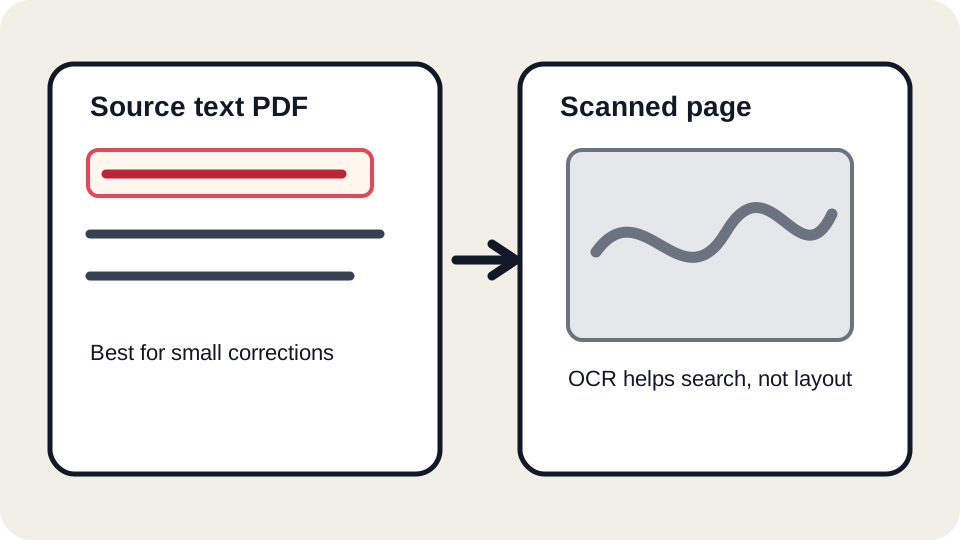
A PDF is not a word processor file. It stores page drawing instructions: place this glyph at this coordinate, draw this image, use this embedded font, show this form field. If your document was exported from Word, Google Docs, InDesign, or another source editor, many text objects may remain editable. If your document was scanned or flattened, the visible letters may be only pixels.
Selectable text is not the whole test
Users often assume that if text can be selected, it can be edited safely. Selection is a useful signal, but it does not prove that the text can be rewritten with the same font, spacing, and line breaks. A PDF can contain an OCR layer over an image. It can contain a font that only includes the letters used in the original sentence. It can store letters in a custom encoding. It can split one sentence into dozens of small fragments.
How JUST FREE PDF approaches source text
JUST FREE PDF tries to group visual text into editable blocks while preserving the surrounding page structure. This is best for small corrections. A short label, a date, a typo, or a sentence that stays near the original length is a reasonable target. Rewriting a long legal clause, replacing a whole paragraph, or changing a dense table usually deserves the original source file.
Three practical examples
Invoice note
An invoice has a one-line memo that says “June services” and you need “June consulting services.” This is a good direct-edit candidate if the line still fits and the amount, client name, and invoice number remain unchanged.
Draft contract
A draft agreement contains a misspelled company name. A small correction is usually fine in a draft. A signed agreement is different: changing text can invalidate context or create legal risk, so use the official source workflow.
School form
A school form has a typed contact number in a flat PDF. If the text is visual only, adding a corrected overlay may be more reliable than attempting to replace the original object.
Small edits vs rebuilding the document
| Need | Better workflow | Why |
|---|---|---|
| Fix one typo | Direct edit | The surrounding layout is unlikely to change much. |
| Change a full paragraph | Original source file | Line breaks, spacing, and pagination may change. |
| Edit a scanned page | OCR plus manual rebuild or annotation | The visible page is an image, not source text. |
| Edit a signed official PDF | Official workflow | The file may require an audit trail or re-signing. |
Font and spacing risks
PDF fonts are often embedded as subsets. A subset may not include the replacement letter you need. If a font is missing, the browser or exporter may substitute a similar font. Even a close substitute can shift line width by a few pixels. That small shift becomes visible in tables, numbered lists, and signature lines.
Export review steps
- Download the edited PDF.
- Open it in at least one second viewer.
- Zoom to 100% and 200% to check baselines and spacing.
- Search for the edited phrase to make sure the old text is not still hidden nearby.
- Print to PDF or print a test page when the recipient will use paper.
When not to force a direct edit
- The replacement text is much longer than the original.
- The line is inside a dense table or official form.
- The file is scanned, certified, encrypted, or restricted.
- The recipient requires a specific portal or signing system.
- You cannot verify the export in a second PDF reader.
Recorded synthetic text test
The selectable-text sample produced 200 extracted characters, while the image-only scan produced zero. In the width comparison, the longer replacement was 178.2% wider than the short line. These results support the product boundary: make small corrections, not full paragraph rewrites. Review the five-structure test.
Do not edit a signed, official, or legally controlled PDF to misrepresent facts. Use the authorized source and reissue or re-sign the document when required.
FAQ
Why did the edited line wrap differently?
The replacement text may have different width, or the exporter may use a fallback font. Shorter edits are safer.
Can OCR make text editable?
OCR can add searchable text, but it does not recreate the original source layout. Treat OCR output as something to verify manually.
Can JUST FREE PDF edit every font?
No. Embedded font subsets, custom encodings, and outlined text may limit safe editing.
What should I keep?
Always keep the original PDF and, when possible, the original source document.
Open the JUST FREE PDF editor
Start from the tool when your document needs a small, reviewable change. Keep an original copy, test the exported PDF in a second reader, and use the related guides when a file is scanned, protected, or legally sensitive.